Developing story
WhatsApp is rolling out scheduled messages: send from 10 minutes to 14 days ahead
- WhatsApp announced scheduled messages on 25 Nov: write now, pick a time from 10 minutes to 14 days ahead, and it sends for you.
- It works in one-to-one and group chats, for text, photos and videos, and stays end-to-end encrypted. Rollout is global, over the coming weeks.
- WhatsApp says it sends even if your phone is off. Whether the Business app gets it, or you can edit a message, is not confirmed.
- 10 minutesEarliest you can scheduleWhatsApp Blog
- 14 daysLatest you can scheduleWhatsApp Blog
- 2Chat types: one-to-one and groupsWhatsApp Blog
- 3Content types: text, photos, videosWhatsApp Blog
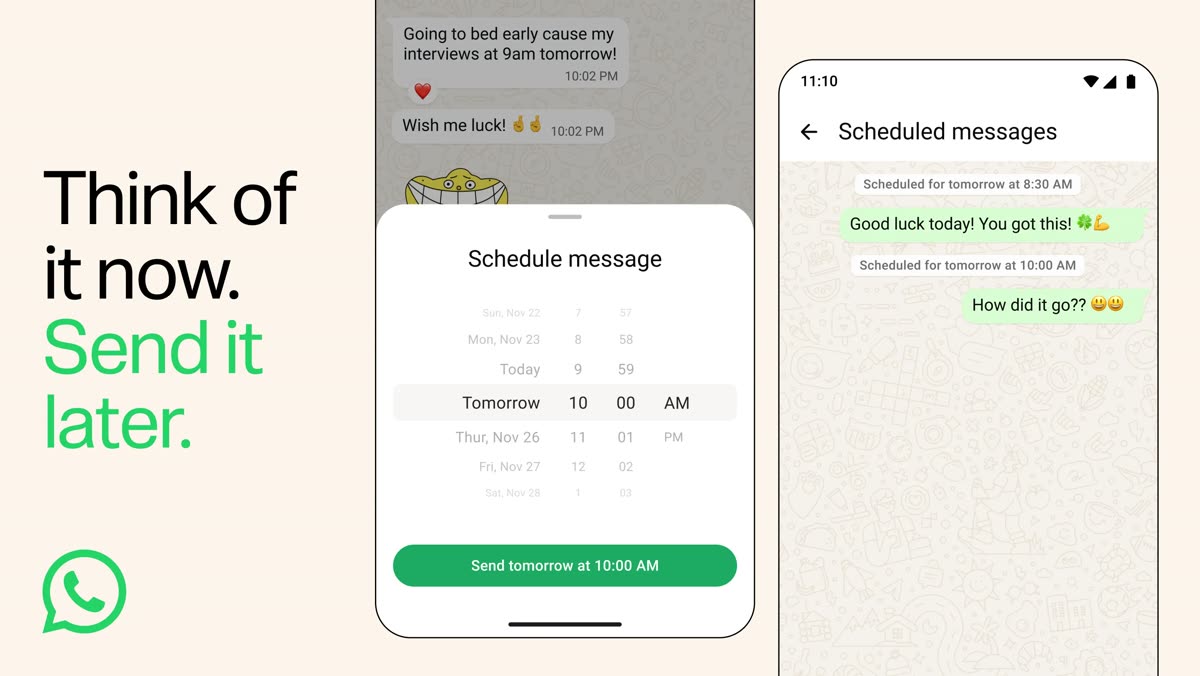
You remember what you want to say at the wrong moment: late at night, in a meeting, or hours before it matters. On 25 November WhatsApp said you will soon be able to write that message now and let the app send it at the time you choose.
That, in one line, is WhatsApp’s new schedule message feature. It matters because WhatsApp calls scheduling one of its most requested features, and because, in our reading, many people have been making do with reminders or other apps until now.
What WhatsApp says you can schedule, and when
In its announcement post, WhatsApp says you can schedule text, photos and videos in one-to-one chats and in groups. You can pick a time from 10 minutes to 14 days ahead.
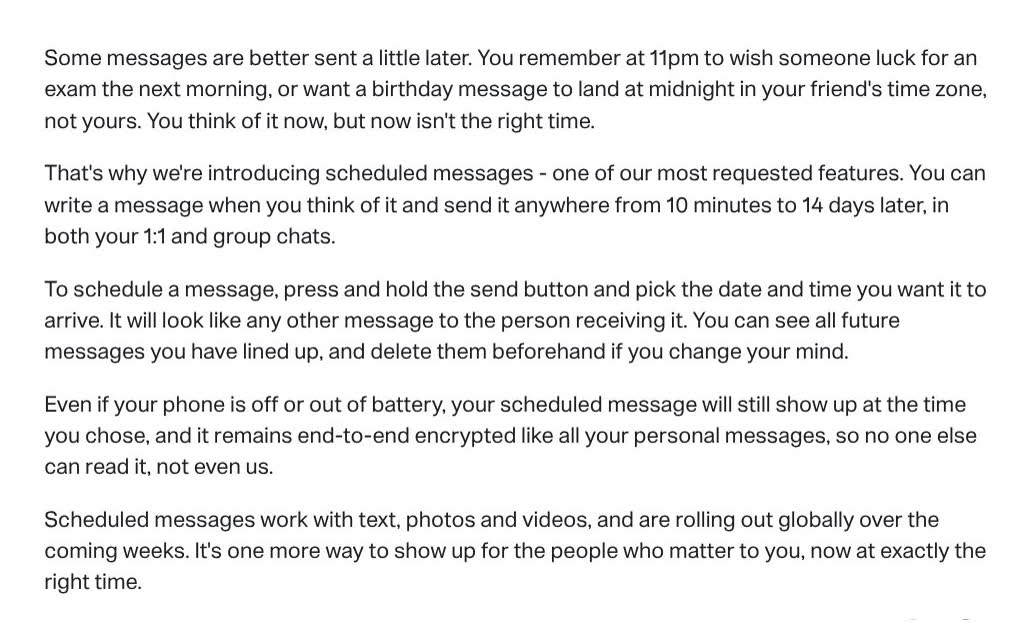 WhatsApp’s announcement of 25 November, shown in full as published. Read it on the WhatsApp blog. Image: WhatsApp
WhatsApp says scheduled messages send on time even if your phone is off or out of battery. You can see your upcoming messages in a list and delete any of them before they go. They stay end-to-end encrypted, so WhatsApp cannot read them, and they look like regular messages to the person who receives them. The company says the feature is rolling out globally over the coming weeks.
How to schedule a WhatsApp message
Once the option reaches your phone, WhatsApp describes it like this:
- Open a chat and type your message, or add a photo or video.
- Press and hold the send button.
- Choose the date and time.
- Later, you can see the messages you have lined up and delete any before it sends.
TechCrunch reports the feature is for iOS and Android. If you are looking for how to schedule WhatsApp messages on iPhone or Android, the steps above are the ones WhatsApp describes. Whether the same option comes to WhatsApp on the web or desktop has not been confirmed by any source we found.
The questions WhatsApp has not answered yet
The post does not say which platforms get the feature first, and it does not mention the WhatsApp Business app. Whether business owners using that app will see it is unconfirmed. Businesses on the paid WhatsApp Business Platform could already schedule campaign messages, according to Meta’s developer documentation, which is a different tool.
Editing a scheduled message is not mentioned either. WhatsApp describes only viewing and deleting. TechCrunch does not mention editing, and MakeUseOf guessed it may be possible while noting WhatsApp’s post does not say so.
Some details come only from beta testing. Early testers reported, per WABetaInfo, that in groups only people who were members when you scheduled the message get it, and that photos or videos must be scheduled one by one. These may differ in the final version, and WhatsApp’s post does not mention them.
WhatsApp is also late to the idea. TechCrunch notes Telegram already offers scheduling, and MacRumors reports Apple Messages has had Send Later since iOS 18.
If the option is missing on your phone
The rollout is gradual, so not seeing it today does not mean something is wrong. MakeUseOf reported that a build from 24 November did not have it yet. Update WhatsApp from your app store, and check again over the next few weeks.
If you write to family in another time zone, run a small shop through personal chats, or just forget birthdays, the 10-minute to 14-day window covers most everyday needs. Longer plans will still need a calendar.
A small feature that fixes a daily annoyance
In our reading, the good news is how plain the WhatsApp schedule message option is. One long-press, a date and a time, and a list to check. Sending while your phone is off is the part that makes it dependable, if it works as described. Keeping messages end-to-end encrypted removes the usual worry that convenience costs privacy.
The cautions are real but small. A scheduled message can send after things change: plans move, or a group changes. The beta reports about group members are a reminder to check the list before the time arrives. And a message that looks like any other means the recipient will not know you wrote it earlier, which is worth remembering for sensitive topics.
On balance, this is a meaningful, practical step that many people have waited for, and it looks worth trying for everyday messages. For anything sensitive, sending in the moment may still be the kinder choice.
Watch for the final details: editing, the Business app and web or desktop. Until WhatsApp says more, the answer to “can you schedule a WhatsApp message?” is yes, if your update has arrived.
Prefer to watch? Follow us on YouTube
The tech stories that matter, explained in plain words. Subscribe so you never miss one.
Quick answers
Can you schedule a WhatsApp message?
Yes. WhatsApp announced scheduled messages on 25 Nov 2026 and is rolling them out globally over the coming weeks, so it may not be on your phone yet.
How far ahead can I schedule?
From 10 minutes to 14 days ahead, according to WhatsApp.
Will it send if my phone is off?
Yes. WhatsApp says scheduled messages send on time even if your phone is off or out of battery.
Does the other person know it was scheduled?
WhatsApp says scheduled messages look like regular messages when they arrive.
Why can't I see the option?
The rollout is gradual. Update WhatsApp and check again over the coming weeks.
Words to know
- Scheduled message
- A message you write now and set to send at a later date and time.
- End-to-end encryption
- A way of locking messages so only you and the person you message can read them.
- Rollout
- When a company gives a new feature to users in stages, not all at once.
- Beta
- A test version of an app that some users get before everyone else.
- Press and hold
- Touching and keeping your finger on a button instead of tapping it once.
Sources (9): every key fact checked against at least two
- WhatsApp Blog: Say it at the right time with scheduled messages (25 Nov 2026)
- TechCrunch: WhatsApp now lets you schedule messages in group and individual chats (25 Nov 2026)
- MakeUseOf: After years of waiting, WhatsApp finally lets you send messages on a timer (25 Nov 2026)
- tbreak: WhatsApp scheduled messages for group chats (25 Nov 2026)
- 9to5Mac: WhatsApp starts testing scheduled messages on iPhone (22 Oct 2026)
- MacRumors: WhatsApp scheduled messages coming (24 Feb 2026)
- WABetaInfo: WhatsApp is testing scheduled messages for chats and groups (Jun 2026)
- Geo.tv: WhatsApp rolling out scheduled messages feature (21 Feb 2026)
- Meta for Developers: WhatsApp Business Platform Schedules API
Related stories

1Password breach: an attacker copied account data, but not vaults, the company says
1Password breach: an attacker copied limited account data. Vaults and keys were not affected, the company says. Here is what was taken and what to do.

Hackers got inside Check Point management servers at 22 organisations, GreyNoise says
GreyNoise says GT13 broke into 22 organisations and used a Check Point management server vulnerability. What is known, and what admins should do.

GitLab patches Ruby2Shell, and GnuPG fixes a GPGME flaw: who needs to update
GitLab's critical patch release fixes Ruby2Shell, and GnuPG fixed a GPGME flaw the same day. Who must update, and how: a GitLab security update guide.