Developing story
1Password breach: an attacker copied account data, but not vaults, the company says
- 1Password says an attacker used one employee's GitHub account to copy source code and limited account data for a subset of users.
- The company says vaults, the keys that protect them and account recovery keys were not affected. It has not said how many customers were hit.
- 1Password says no password or Secret Key reset is needed. Its advice is to watch for phishing about invitations and account recovery.
- 19 NovDay 1Password began investigating1Password
- 0Vaults accessed, per 1Password1Password
- 10Characters in new invite/recovery codesWas 6 digits, per 1Password
- UnknownCustomers affected: not disclosedTechCrunch
Someone who should not have been there got into one 1Password employee’s account on GitHub, the service where the company keeps its code. On 25 November, 1Password told customers what that person reached, and the short version is reassuring and unsettling at once: vaults untouched, but some account data copied.
That is the 1Password breach as the company describes it. It matters because a password manager is the lock on many people’s other locks. Even when the vault holds, people who rely on it want to know what was taken and what could follow.
How one GitHub account led to the 1Password breach
According to 1Password’s post, it began investigating on 19 November after seeing signs that an attacker had reached one employee’s corporate GitHub account. From there, the company says, the attacker read private source code, pushed malicious code to internal backend services, and downloaded administrative account data. TechCrunch and Android Headlines report the same.
The company says, and Android Headlines reports, that the attacker also reached its CI/CD system, the automated pipeline that builds and releases software. It holds infrastructure secrets, and 1Password says it has rotated them.
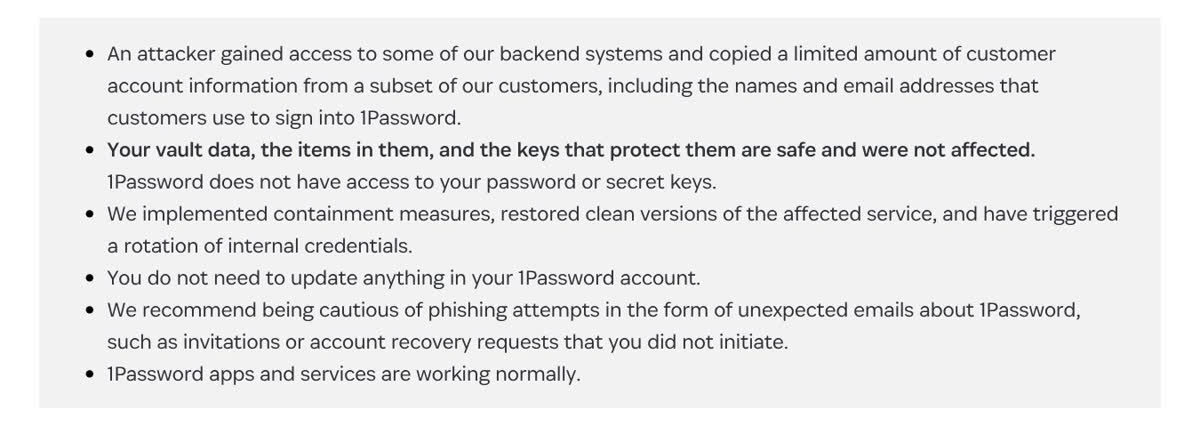 The summary at the top of 1Password’s post. Read the full statement on 1password.com. Image: 1Password
What was taken, and what the company says was not
For a subset of users, 1Password says the data copied includes names and email addresses, account and user IDs, creation dates and last sign-in times. It also lists public keys and SRP parameters, which it says cannot be used to get into an account. In a small number of cases, security tokens inside some invitation, account-setup (provisioning) or account-recovery emails were exposed, and those users were contacted directly.
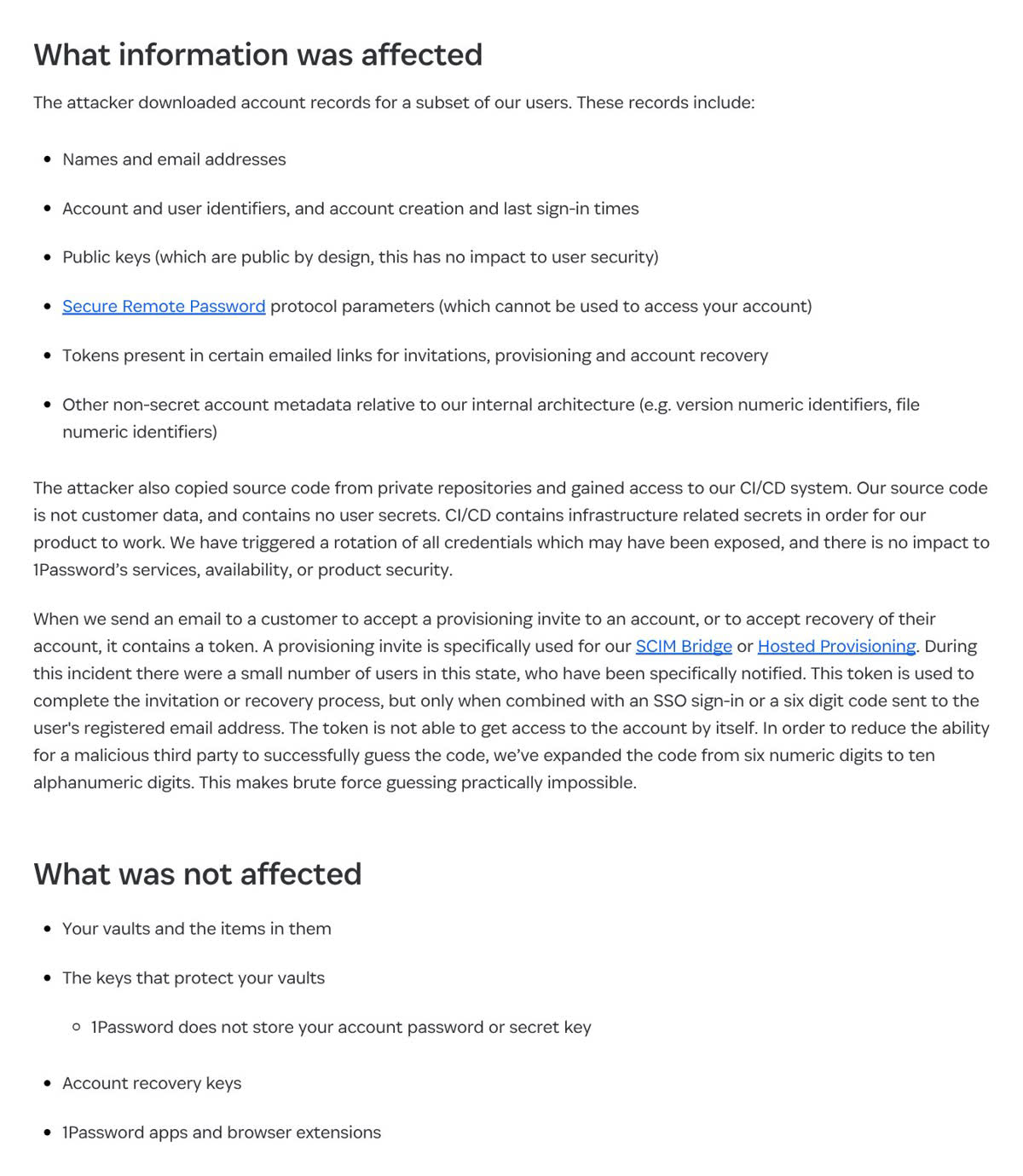 The sections on what was and was not affected. Source: 1password.com. Image: 1Password
Not affected, the company says: vaults and the items in them, the keys that protect vaults, account recovery keys, and its apps and browser extensions. It says it does not store account passwords or Secret Keys. In its words, “At no time were customer vault contents accessed by, or available to, the attacker.”
The questions 1Password has not yet answered
The company has not said how many customers were affected, TechCrunch and Android Headlines report. TechCrunch, citing the company, puts its customer base at millions of customers and more than 200,000 businesses. TechCrunch also notes it is unclear how the attacker got in.
One reassurance rests on the company’s word alone: 1Password says it has found no account takeovers using the exposed provisioning tokens. That is useful, but it is the company’s own finding.
If you use 1Password, the steps the company advises
1Password says you do not need to change anything in your account, including your password and Secret Key. The risk it points to is a follow-up scam.
- Be wary of unexpected emails, texts or calls that mention 1Password, invitations or account recovery, especially ones you did not start.
- If you invite people to a shared 1Password account, take extra care with invitation emails.
- Keep your account password and Secret Key safe. 1Password says it will never ask for them, so do not give them to anyone who claims to be from the company. Type them only into the official app or website, opened by you.
- Report anything suspicious to 1Password’s support team.
Malwarebytes reported fake “1Password breach” alerts in October 2025, so a 1Password breach email now may be genuine or fake. The same phishing risk followed the CAPCOM ID data breach, where scam emails were the next worry.
Why “vaults safe” is good news, and not the whole story
In our reading, the best news is what the attacker did not reach. If the vault design held, the most damaging outcome did not happen. 1Password also lists concrete fixes: it says it disabled the account, revoked the stolen token, rotated credentials, brought in outside experts, and lengthened invitation and recovery codes from six digits to ten letters and numbers.
The harder part is what is still open. An attacker pushed code to backend services, and copied source code. In our reading, the company’s claim that its apps were unaffected is the one an independent review would most usefully confirm. On Hacker News, readers asked why the code push was possible. Those are forum questions, not findings.
On balance, is 1Password safe to use? The likelier answer, based on what the company has said, is that your vault is intact and your main risk is a convincing phishing message. Whether that stays true depends on the updates 1Password has promised, and on independent checks it has not yet detailed.
The next thing to watch is the post itself. 1Password says it will keep it current, and the plainest question is still open: how many people were affected.
Prefer to watch? Follow us on YouTube
The tech stories that matter, explained in plain words. Subscribe so you never miss one.
Quick answers
Was 1Password hacked?
1Password says an attacker got into some backend systems through an employee's GitHub account and copied limited account information. It says customer vaults were not accessed.
Do I need to change my 1Password password after the breach?
No. 1Password says no change to your account is needed, including your password and Secret Key.
Is 1Password safe to use?
1Password says vault data and the keys that protect it were not affected. That is the company's own account, and it has promised updates. In our reading, it is sensible to watch those updates.
Did the 1Password breach email come from 1Password?
It could be either. 1Password says it contacted directly the small number of users whose email tokens were exposed. But scammers have used 1Password's name before, so do not click links in unexpected messages. Open the app or website yourself to check.
Words to know
- Vault
- The encrypted place in a password manager where your logins and notes are kept.
- Secret Key
- A long code, unique to your 1Password account, that helps protect your vault.
- CI/CD
- The automated system a software company uses to build and release its code.
- SRP
- Secure Remote Password, a method that lets you prove who you are without sending your password.
- Phishing
- A fake message that tricks you into giving away a password or code.
Sources (6): every key fact checked against at least two
- 1Password: Update on a security incident involving 1Password's backend systems (25 Nov 2026)
- TechCrunch: 1Password said hackers broke into its internal systems, but customer passwords are safe (25 Nov 2026)
- Android Headlines: 1Password breach exposed emails, vaults safe (25 Nov 2026)
- The Defiant: 1Password says breach exposed account data, not vaults (25 Nov 2026)
- Hacker News discussion of 1Password's incident post (25 Nov 2026)
- Malwarebytes: fake 1Password breach alert phishing (6 Oct 2025)
Related stories
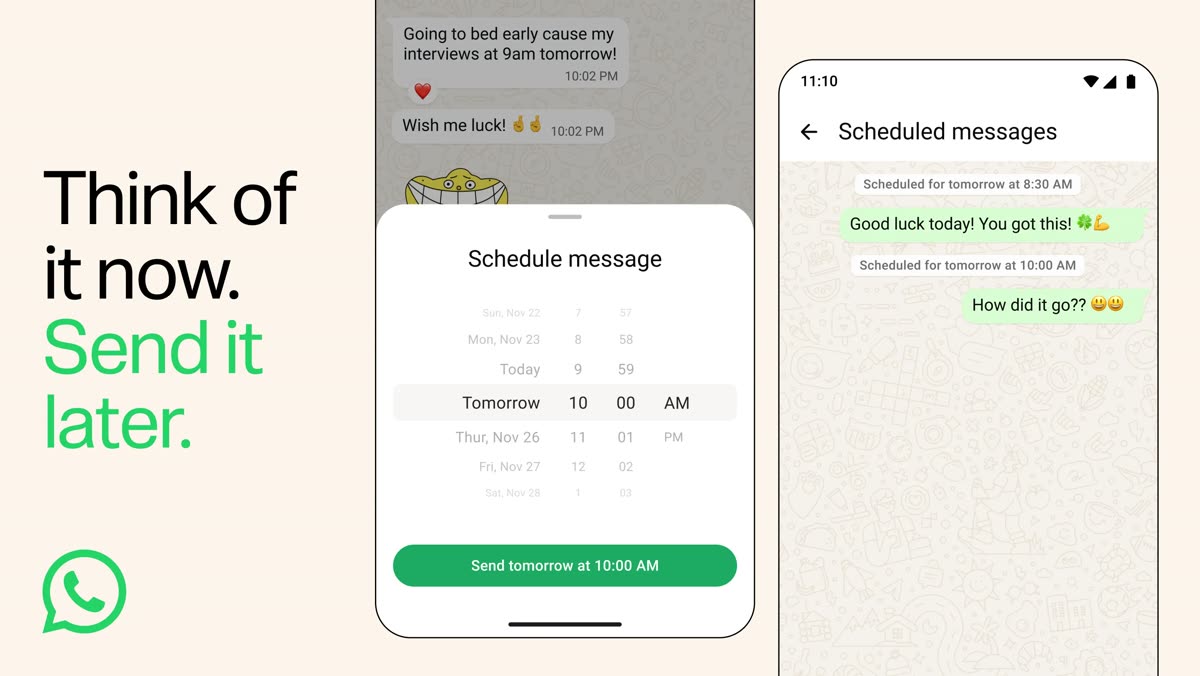
WhatsApp is rolling out scheduled messages: send from 10 minutes to 14 days ahead
WhatsApp schedule message is rolling out: pick a time from 10 minutes to 14 days ahead for text, photos and videos in 1:1 and group chats.
Hackers got inside Check Point management servers at 22 organisations, GreyNoise says
GreyNoise says GT13 broke into 22 organisations and used a Check Point management server vulnerability. What is known, and what admins should do.

GitLab patches Ruby2Shell, and GnuPG fixes a GPGME flaw: who needs to update
GitLab's critical patch release fixes Ruby2Shell, and GnuPG fixed a GPGME flaw the same day. Who must update, and how: a GitLab security update guide.