Developing story
Gemini can now use your Mac for you, but only paying US users get it first
- On 19 November Google added computer use to the Gemini app for Mac: Gemini clicks, types and fills forms in your apps and websites.
- It is rolling out in English in the US for Google AI Plus, Pro and Ultra subscribers aged 18+, on Apple Silicon Macs with macOS 15 or later.
- Google says you pick the apps, watch each step and approve key actions. It has not said how long it keeps session data.
- 18+Minimum agePersonal Google accounts only
- macOS 15Sequoia or later, Apple SiliconIntel Macs are not listed
- $4.99Cheapest qualifying plan, per monthGoogle AI Plus, US price
- 1Country at launchUS, English only
Picture a folder of clothing photos that all need a listing, a price check and a description. Google now says Gemini can do that grind for you on a Mac, while you carry on with something else.
On 19 November, Google added computer use to the Gemini app for Mac. You describe a job, and Gemini does the clicking, typing and form-filling across your files, apps and websites. It is rolling out in English in the US for paying subscribers.
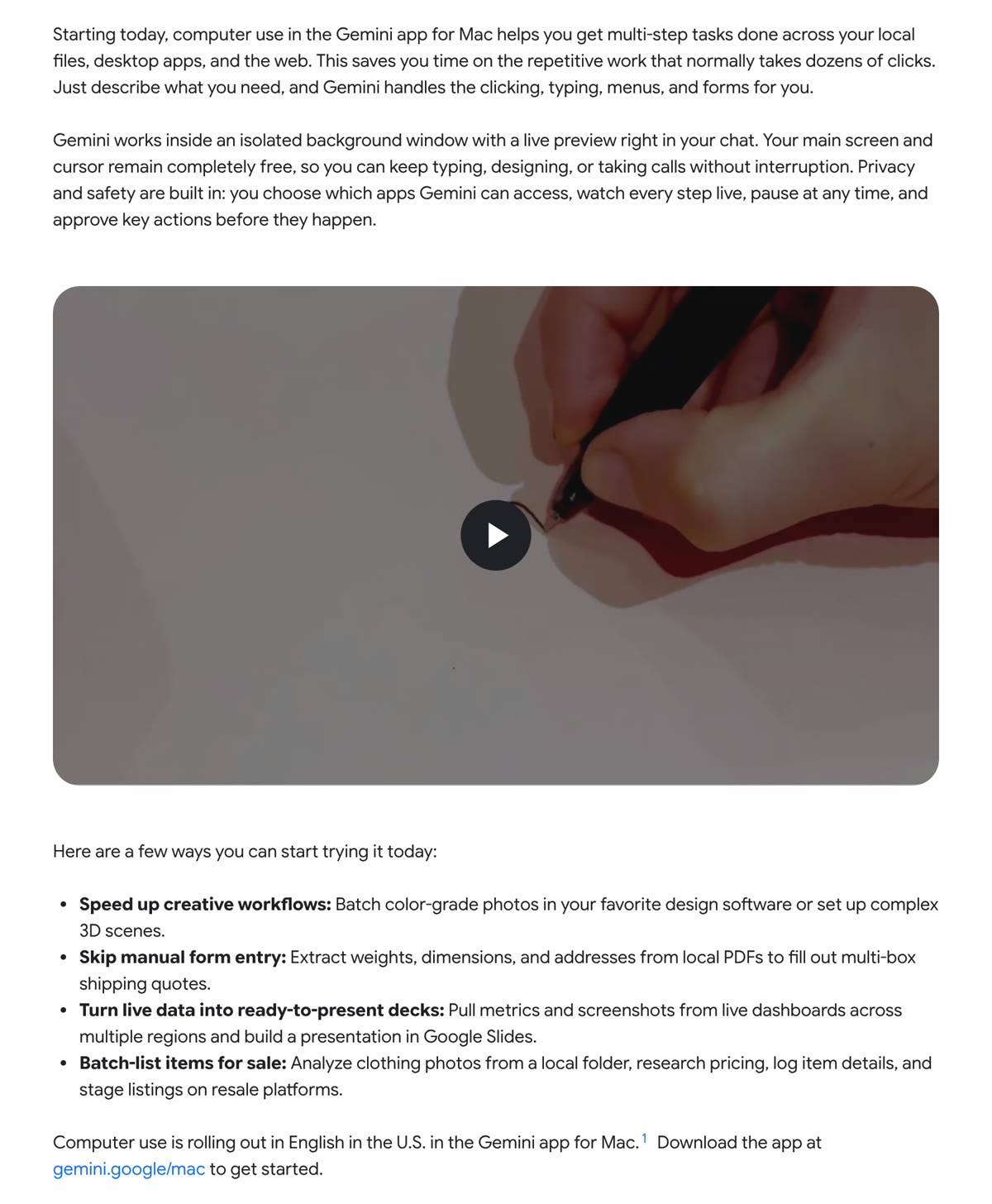
Google’s announcement on the Google Blog. Image: Google
This is Gemini moving from answering questions to acting as an AI agent, software that carries out a task step by step. TechCrunch notes that other AI companies have offered desktop agents for some time, and calls Google a little late. Google’s release notes give the reason: “Many everyday tasks span desktop apps and websites that don’t connect to each other.”

What Gemini computer use on Mac can do
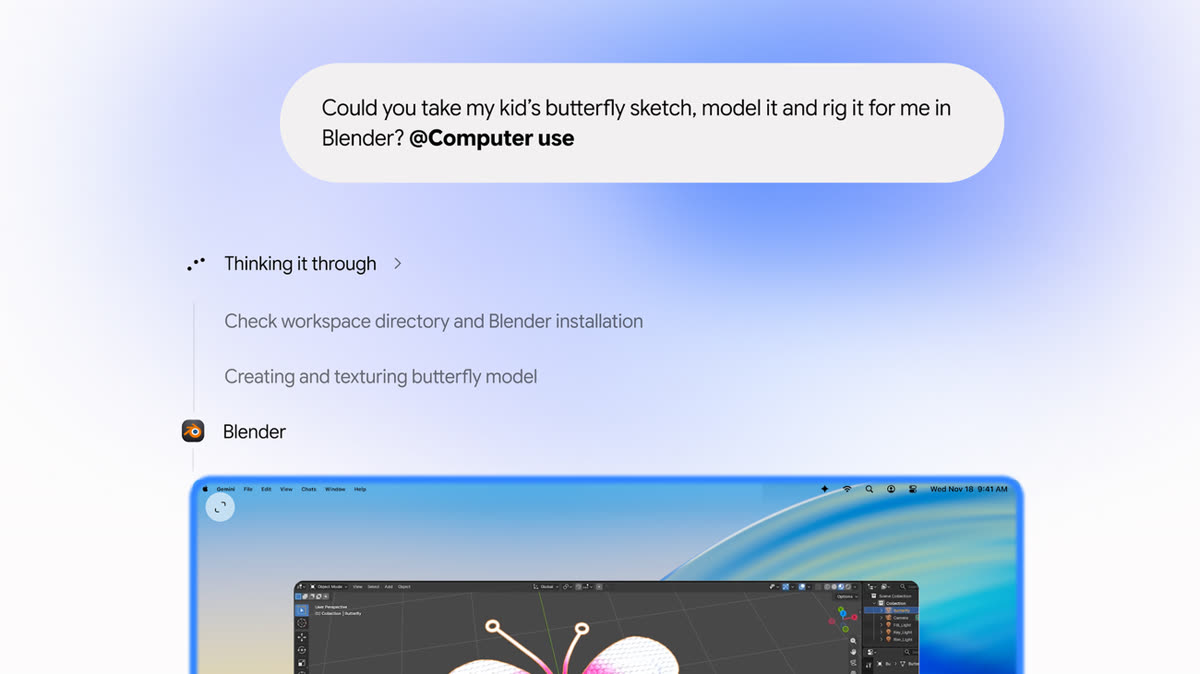
Google says it works across local files, desktop apps and the web. Its examples include batch colour-grading photos, filling shipping quotes from details in local PDFs, building a Google Slides deck from live dashboards, and staging resale listings from photos. Google’s demo turns a child’s butterfly sketch into a rigged 3D model in Blender.
The work happens out of your way, in a window of its own that you can watch from the chat, so you can keep using your Mac. 9to5Google adds that you start it by typing “@Computer use”, and that new desktop connectors, such as Blender and Autodesk Fusion, appear under Customize.
The free Gemini Mac app launched in April. Google’s desktop page already says some features need a Google AI subscription, and computer use is one of them.
Who gets it, and what it costs
Access comes with a short set of conditions: the US, English, personal Google accounts for people 18 and over, and an Apple Silicon Mac running macOS Sequoia 15.0 or later. If you were wondering whether the Gemini app for Mac works on Intel, Google’s pages do not list those machines.
It needs a paid plan. These are Google’s US prices, since computer use is US-only for now (checked on 20 November 2026):
| Plan | Price per month | Includes computer use |
|---|---|---|
| Free | $0 | No |
| Google AI Plus | $4.99 | Yes |
| Google AI Pro | $19.99 | Yes |
| Google AI Ultra | From $99.99 | Yes |
Google’s plans page also lists an Ultra tier at $199.99. A day earlier, Google also kept its new model, Gemini 4 Neon, to paying users only.
The questions Google has not answered
A tool that can click through your Mac needs trust. Per Google’s blog and release notes, you decide which apps it may touch, can stop it with one click, and must sign off on key steps. The release notes add that it pauses for logins and payments.
Several things are missing. Google’s post does not say how long it keeps screenshots or activity from these sessions. It does not say which model powers the feature or what usage limits each plan has. TechCrunch reports Google gave no word on other countries or platforms, and Google’s own announcement covers only the Mac app, although it also makes a Windows Gemini app.
Before you pay for it, check your Mac
If you are outside the US or on a free plan, you cannot use it yet, and Google has not said when that changes.
If you are in the US on a paid plan, check your Mac chip first (the Apple menu, then About This Mac). Everyone else can watch for Google’s next release notes. If you are weighing a plan for this alone, the $4.99 tier is the cheapest listed, though Google has not published how much computer use each plan allows.
In our reading: useful, but start small
The upside is real. Repetitive jobs across several apps are where people lose hours, and a background window that leaves your cursor alone is a thoughtful design. The approval step and one-click stop are what make it reasonable to try.
The risks are just as real. Agents can misread a screen or click the wrong thing, and a payment or a sent form is hard to undo. Handing an AI view of your files and apps is a privacy decision, and Google has not said how long it keeps session data. On balance, Gemini computer use on Mac looks like a feature worth trying on low-stakes jobs first, with every approval read, not clicked through.
Watch for three things next: a help-centre page with the privacy details, usage limits by plan, and any date for outside the US. Those will say how far to trust it.
Prefer to watch? Follow us on YouTube
The tech stories that matter, explained in plain words. Subscribe so you never miss one.
Quick answers
What is computer use in AI?
It is an AI feature that operates a computer much as a person would, moving through menus, typing and clicking. Google's blog describes Gemini doing this across local files, desktop apps and websites.
Does the Gemini app for Mac work on Intel Macs?
Google's footnote for computer use asks for an Apple Silicon Mac with macOS Sequoia 15.0 or later, and its desktop page says the same. Intel Macs are not listed.
Is Gemini computer use free?
No. Google lists it for Google AI Plus, Pro and Ultra subscribers; the free plan is $0 and does not include it. Prices are on Google's plans page (US dollars, checked on 20 November 2026).
Will Gemini log in or pay for me?
Google's release notes say Gemini pauses for logins and payments. 9to5Google reports the same.
Words to know
- Computer use
- An AI feature that clicks, types and scrolls in apps the way a person does.
- AI agent
- An AI that carries out a task step by step, not just answers a question.
- Apple Silicon
- Apple's own Mac chips, M1 and later, not the older Intel chips.
- Rig (3D)
- Adding a digital skeleton to a 3D model so it can be moved.
- Connector
- A link that lets Gemini work with another app.
Sources (7): every key fact checked against at least two
- Google Blog: Let Gemini tackle repetitive chores on your Mac
- Gemini Apps release notes (2026.11.19)
- Gemini for desktop, Google
- Google AI plans and prices
- TechCrunch: Google gives Gemini the ability to use your Mac for you
- 9to5Google: Gemini computer use on Mac
- The Verge: Google Gemini macOS AI computer use
Related stories

Did a patch rush cause November's tech outages? Officials point to it; companies have not said so
Tech outages hit banks, Microsoft, Apple and the NSA in one week. Officials point to a patch rush. No company has said so. Here is what we know.

Inkling 2 Mini: Thinking Machines releases an open AI model small enough for a laptop
Thinking Machines Lab released Inkling 2 Mini, an open-weights AI model for laptops with 32GB of memory. See its scores, weak points and who can use it.

Google's Gemini 4 Neon aims to cost less per task than Carbon, but only paying users can try it
Gemini 4 Neon is Google's new model for coding and analysis. See its price, who gets it, how it compares with Carbon, and which claims are Google's own.