Gmail's Send as ends for Yahoo, Outlook and other outside addresses in January 2027: what to do now
- Gmail will stop letting you send from non-Google addresses, such as Yahoo or Outlook, starting January 2027. Google gives no exact day.
- Gmailify and POP mail fetching on the web are also ending. Gmail aliases, Google Workspace Send as, the Gmail app and desktop mail apps are not affected.
- This was announced earlier. It is back in the news because the deadline is about five weeks away.
- Jan 2027When the three features endGoogle gives the month, not the day
- 3Features endingSend as, Gmailify, POP on the web
- 3Ways Google says to read your other mailProvider app, mail app, Gmail app
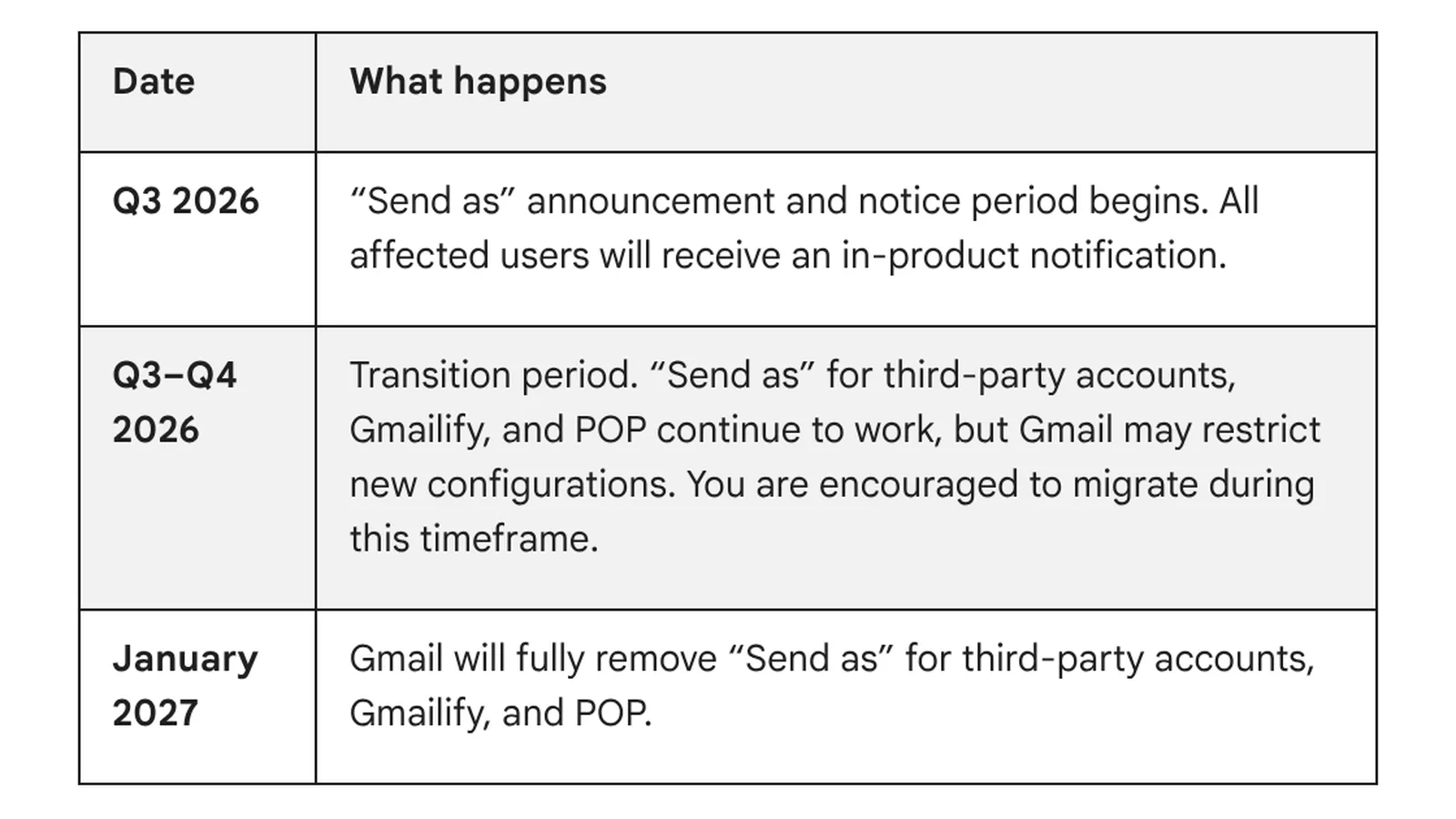
If you answer customers from a shop address while using a free Gmail inbox, the next few weeks matter. From January 2027, Google says Gmail will no longer let you send mail from third-party addresses, such as @yahoo.com or @outlook.com. For anyone who sends from an outside address, the Gmail Send as ending is now weeks away, and Google has not named the day.
This is not a new announcement. Google added Send as to its list of changes around August 2026. The Gmailify and POP part dates to about October 2025, when the end date was January 2026. It later moved to January 2027. The news now is the deadline, about five weeks away.
Gmail Send as ending: what goes away in January 2027
Google’s Gmail Help page says three features will be fully removed in January 2027.
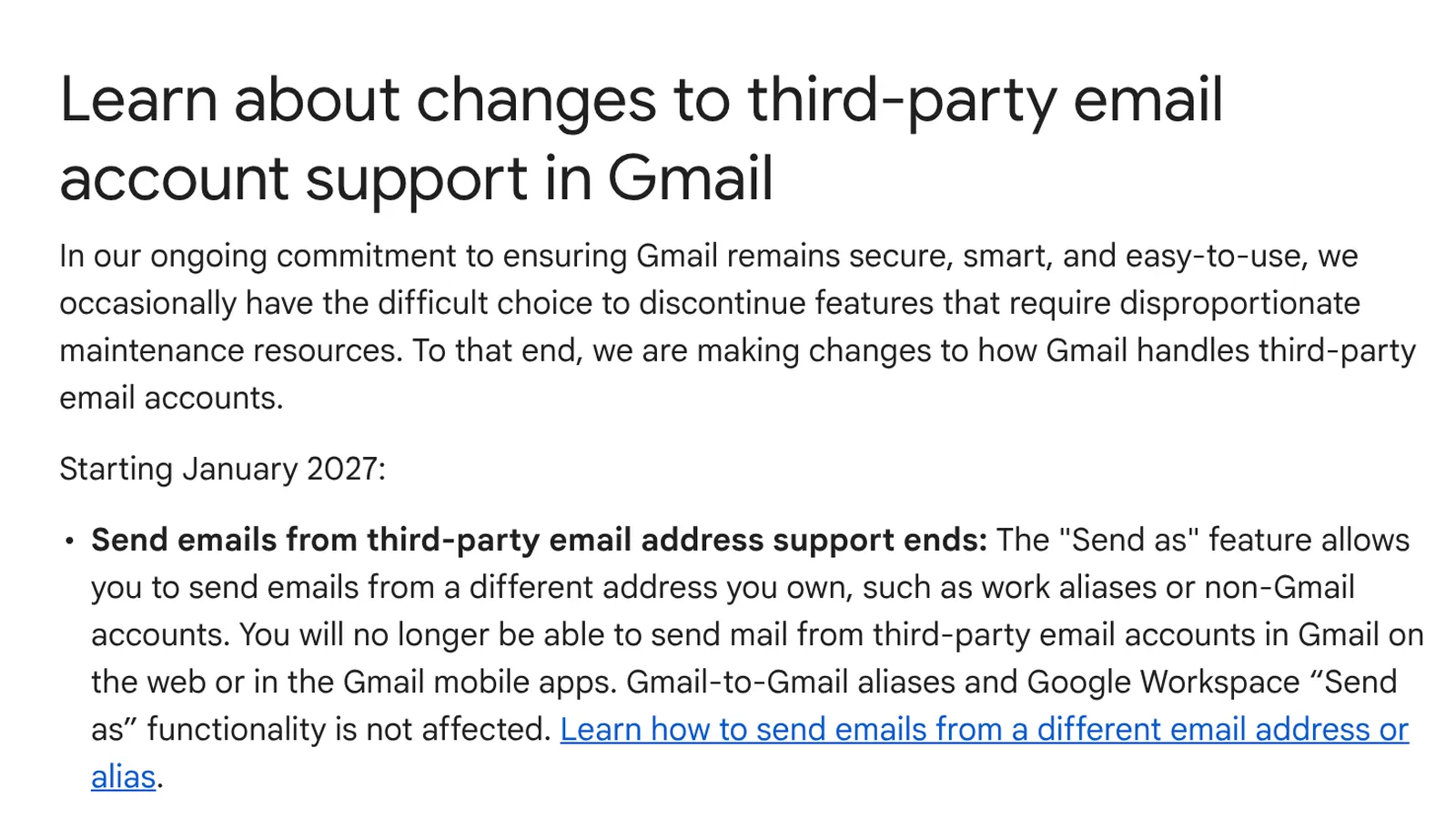
The top of Google’s help page on the change, as published. Read it on Google. Screenshot: Google (Gmail Help)
- Send as for outside addresses. Gmail will stop sending mail from your Yahoo, Outlook or other non-Google address, whether you use Gmail in a browser or in the phone app.
- Gmailify. This feature applied Gmail’s spam filter and tabs to a Yahoo or Outlook account. Google’s separate Gmailify and POP page says it no longer takes new users, and existing users lose it in January 2027.
- POP fetching on the web. Gmail’s “Check mail from other accounts” tool, which pulls mail in from another provider, stops working.
One line needs care. Google’s page says: “As previously announced, you can no longer add or sync your third-party email account in Gmail on the web. This is still available in the Gmail mobile app.” It sits under the “Starting January 2027” list but reads as already in effect, so Google’s page does not make the date clear.
Treat the web route as closed, and the phone app as the supported one.
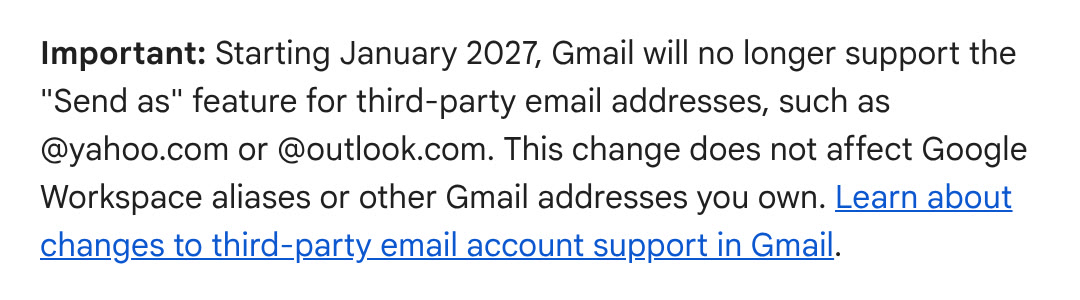
The notice on Google’s “Send emails from a different address or alias” page. Read it on Google. Screenshot: Google (Gmail Help)
What keeps working: aliases, Workspace, the Gmail app and forwarding
Google says these keep working:
- Gmail-to-Gmail aliases and Google Workspace Send as.
- Third-party accounts added in the Gmail app on Android, iPhone and iPad. You read and send from that account itself in the app, not “as” it from your Gmail address.
- Outlook, Thunderbird, Apple Mail and other mail apps that connect to Gmail by IMAP, POP or the Gmail API.
- Auto-forwarding from your other provider into Gmail, which Google’s FAQ says you can still set up.
- Mail you have already imported. Google says those messages stay in your mailbox.
The reason, and the questions it leaves
Google’s stated reason is that it sometimes discontinues features needing “disproportionate maintenance resources”. Some commenters on Hacker News say the change nudges small businesses toward paid Google Workspace. That is their opinion. Google has not said so.
Rumour: A Hacker News commenter says Google Workspace accounts also lose POP fetching. Google’s page does not say this. It only says Workspace admins can help move mail into Workspace.
If you send from Yahoo, Outlook or your own domain: five steps before January
-
Open Gmail, then Settings, See all settings, Accounts and Import. Look under “Send mail as” and “Check mail from other accounts”. If only Gmail addresses appear, nothing changes for you.
-
For every outside address, set up auto-forwarding at that provider so mail still reaches you.
-
Choose where you will reply from: the provider’s own app or website, a desktop mail app, or the Gmail phone app. If your own domain is hosted elsewhere, ask your host for IMAP and SMTP details.
-
Tell regular contacts if your reply address changes, and update your signature.
-
Be wary of browser extensions that promise to bring Send as back. Google warns they may need your password or access tokens.
A fair trade-off, with a short runway
Our reading: retiring an old feature that Google says costs too much to maintain is a reasonable engineering choice, and Google has kept the phone app, desktop apps and forwarding as routes.
Giving a month but no day is harder on people running a business from one inbox, especially if the only warning is a notice inside Gmail. In our analysis, most casual users will never notice, while people who send from a custom-domain address have real setup work to do before January. Google says mail already imported stays put, though no one should rely on a single copy.
This is the same slow-moving change as Google Assistant’s shutdown on Nest speakers, where the deadline is set long before many people hear about it.
Watch for two things: an exact January date from Google, and any change to the Gmail app’s support for outside accounts.
Prefer to watch? Follow us on YouTube
The tech stories that matter, explained in plain words. Subscribe so you never miss one.
Quick answers
Is Gmail ending Send as?
Only for non-Google addresses. From January 2027, Gmail will no longer let you send from addresses such as @yahoo.com or @outlook.com, on the web or in the Gmail apps.
Does this affect Gmail aliases or Google Workspace?
No. Google says Gmail-to-Gmail aliases and Google Workspace Send as are not affected.
What is the alternative to Gmail Send as?
Google points to the other provider's own app or website, a desktop mail app, or the Gmail mobile app. Businesses can look at Google Workspace with their own domain.
Will I lose emails I already imported?
No. Google says messages already imported into Gmail stay in your mailbox. Keeping your own backup is still a sensible habit.
When exactly in January 2027 does it end?
Google has not said. Plan to be ready before the month starts.
Words to know
- Send as
- A Gmail setting that lets you send mail from another address you own.
- POP
- An older way for one mail service to download mail from another.
- IMAP
- A standard way for mail apps to read your mail. SMTP is the matching way to send it.
- Gmailify
- A Gmail feature that applied its spam filter and tabs to a Yahoo or Outlook account.
Sources (9): every key fact checked against at least two
- Gmail Help: Learn about changes to third-party email account support in Gmail
- Gmail Help: Send emails from a different address or alias
- Gmail Help: Learn about upcoming changes to Gmailify & POP in Gmail
- Android Authority: Gmail is killing third-party Send as (5 August 2026)
- Android Police: Gmail 2027 changes (27 November 2026)
- The Register: Gmail dropping POP3 (5 January 2026)
- 9to5Google: Gmailify and POP shutting down (23 January 2026)
- GIGAZINE: Gmail to end Gmailify and POP support (1 October 2025)
- Hacker News discussion
Related stories
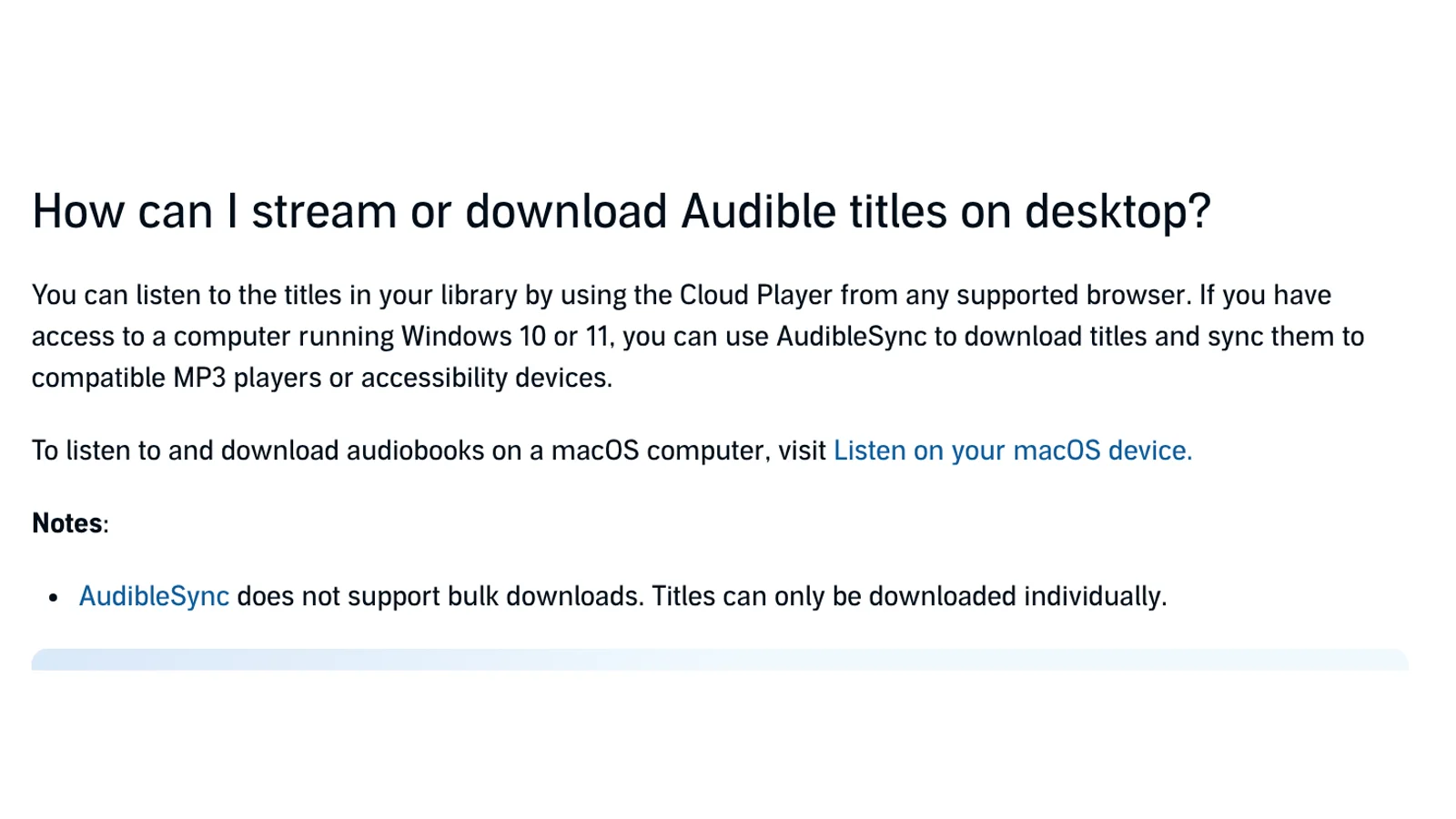
Audible's website download button is gone: what US buyers can still do with their audiobooks
Audible download button missing on the US website? It was removed in 2026 without an announcement. Here is what still works and what buyers can do.
· 3 min read
Donald Knuth stops reading new error reports for now, and his famous $2.56 reward check waits
Donald Knuth will not read new error reports sent after 25 Nov 2026 until he posts updated errata. The Knuth reward check is paused, not ended.
· 4 min read
Air Force Cloud One reportedly hacked: what we know, and what the Air Force won't say
Reuters reports hackers got into Air Force Cloud One, and a US official told NBC News the same. The Air Force will not comment. Here is what is known.
· 4 min read