Gemini comes to Apple CarPlay: iPhone drivers can now talk to Google's AI hands-free
- Google's Gemini app is now rolling out on Apple CarPlay worldwide, so iPhone owners can hold hands-free voice chats with Gemini Live from the car screen.
- It can read out your calendar, catch you up on email, suggest lunch spots and help you rehearse, and chats are saved to the Gemini app on your iPhone.
- You open it yourself with a tap: it does not replace Siri, and some features, such as Daily Brief, are not offered in Europe's EEA, Nigeria or to under-18s.
- 3 stepsSetup on your iPhone firstUpdate, allow mic, try Gemini Live
- iOS 26.4When CarPlay opened to voice AI appsBeta arrived 18 Feb 2026 (9to5Mac)
- ~1 hourDaily commute, by Google's estimateGoogle gives no source for it
- 18+Age for Daily Brief and some extrasNot in the EEA or Nigeria
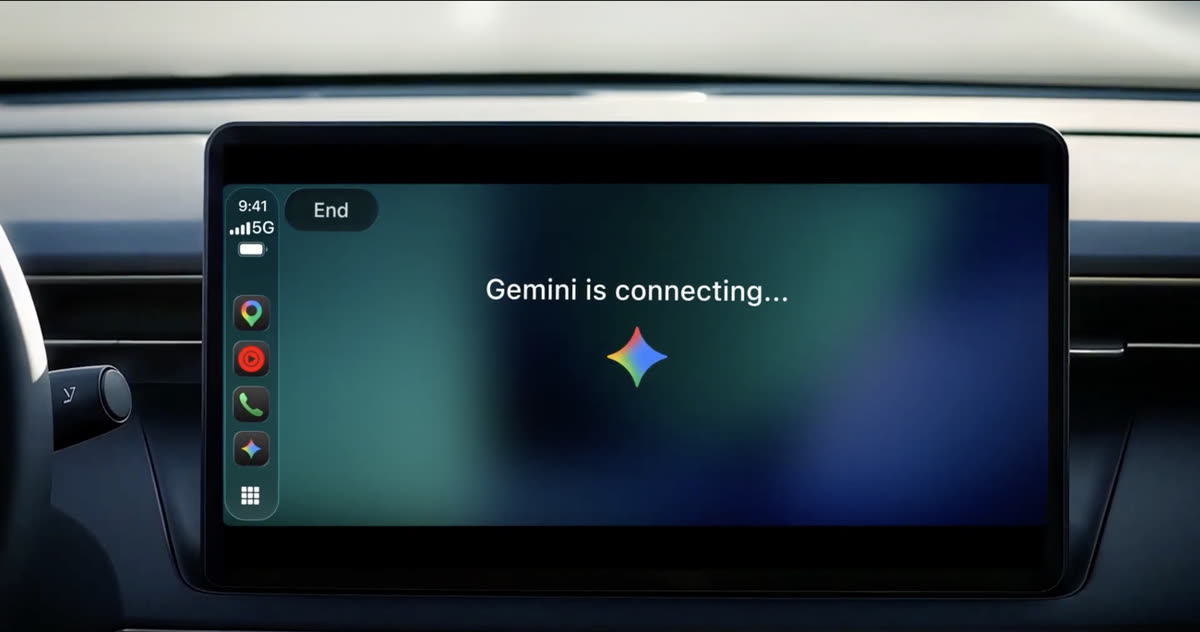
Picture the drive to work: a red light, a full inbox and a meeting you have not prepared for. Until now, iPhone owners who wanted Google’s AI in that moment had to reach for the phone, which is exactly what you should not do.
From 11 November 2026, Gemini CarPlay support starts rolling out worldwide. iPhone owners can tap a Gemini icon on the car’s screen and talk with Gemini Live, Google’s spoken chat mode, without touching the phone. Google says it is for all Gemini users on iOS, in every language Gemini Live supports.
This matters because the car dashboard has long been ground where Apple’s own tools lead on the iPhone. Gemini already runs on Android Auto and in cars with Google built-in. Now, in our reading, Google is reaching the drivers who chose an iPhone, on Apple’s home turf.
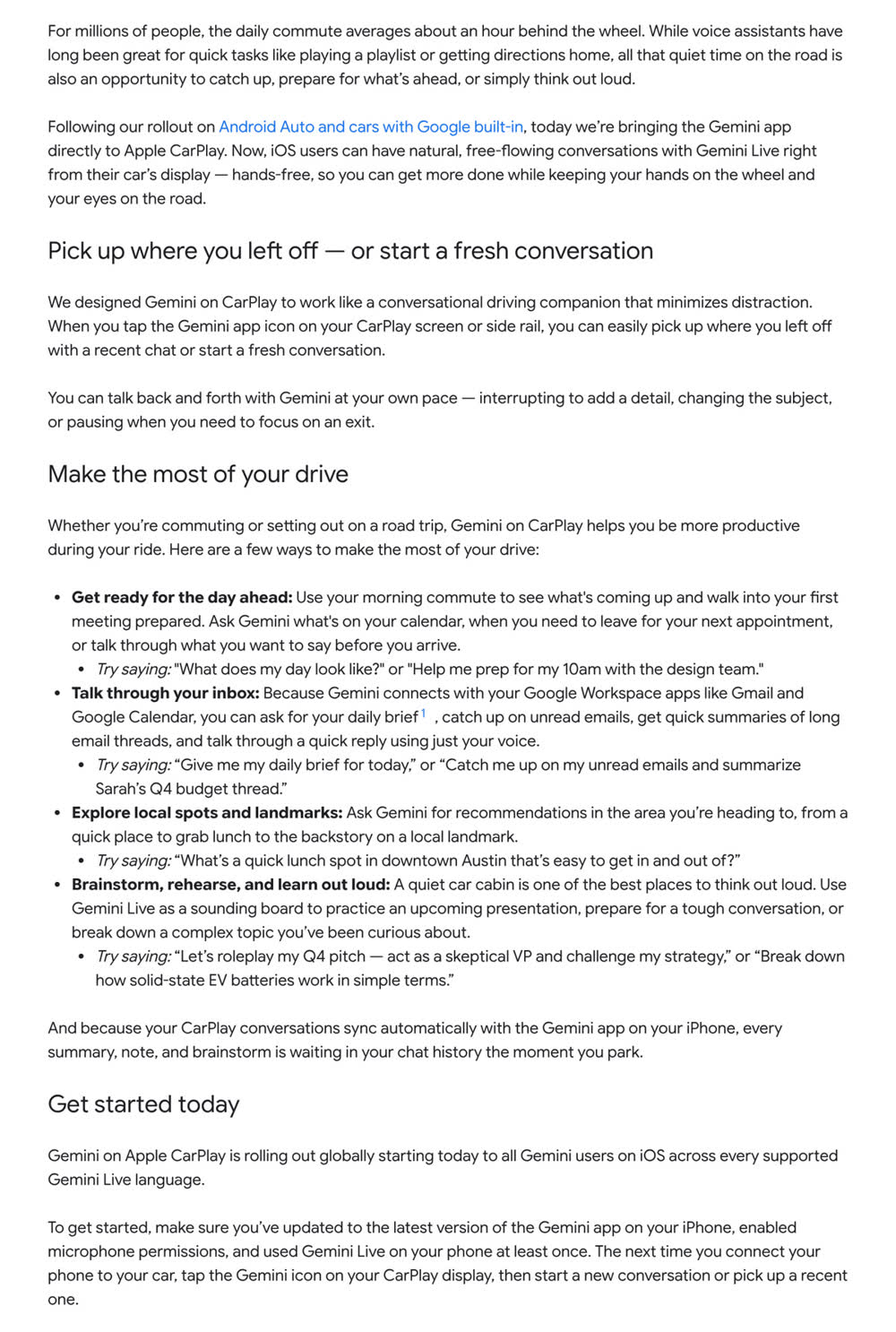 Google’s announcement in full, as published on the Google blog on 11 November. Image: Google
What Gemini on Apple CarPlay can do on a drive
You start Gemini from its icon on the CarPlay home screen or the side rail, the strip of apps at the edge. You can continue a recent chat or begin a new one. Google says you can cut in to add a detail, switch topics or go quiet while you take an exit.
The screen stays simple. According to 9to5Google, it shows a moving sound wave for listening, thinking and answering, plus End and Mute buttons in the top-left corner.
Google’s examples are practical. Gemini can tell you what is on your calendar and when to leave. Through Gmail and Google Calendar, it can catch you up on unread email, sum up a long thread and help you dictate a reply. It can suggest a quick lunch stop or explain a landmark, and it can play a sceptical boss while you rehearse a pitch. Every chat syncs to the Gemini app on your iPhone, so your notes are waiting when you park.
Google frames all this around an average commute of about an hour, though it gives no source for that figure.
It sits beside Siri, not in its place
Gemini does not take over from Siri. Apple opened CarPlay to voice-based AI apps with iOS 26.4, and 9to5Mac reported that such apps must be voice-first and that you open them yourself. Google mentions no wake word.
Gemini is not alone, either. MacRumors notes that other AI chat apps, such as ChatGPT and Perplexity, were already on CarPlay. Gemini also already worked inside Google Maps on CarPlay.
What Google does not say is just as useful to know. It names no price tier, no country list and no minimum iOS version. Its post adds no new privacy terms for the car, beyond saying chats sync to your phone.
How to use Gemini on CarPlay in three steps
Google’s own setup list is short. Before you drive, update the Gemini app on your iPhone, allow microphone access, and use Gemini Live on the phone at least once. Then connect to your car and tap the Gemini icon.
If Gemini CarPlay is not working or the icon is missing, check those three steps first. The rollout is gradual, so it may simply not have reached your phone yet.
Some features have limits. Google says Daily Brief must be switched on first, and that it and some other personal features are not offered to under-18s or in the European Economic Area and Nigeria.
On safety, set things up while parked, keep chats short in busy traffic, and follow your local road rules. If you also use Gmail’s newer AI tools, our story on Gmail’s AI Inbox explains how Google is summarising email in the inbox itself.
A useful companion, as long as the road comes first
There is much to like here. Talking is very likely safer than tapping, and Google has kept the screen bare on purpose. Synced chat history turns dead driving time into notes you can use later. For people who already live in Gmail and Google Calendar, it fills a real gap on the iPhone.
The worry is attention. In our view, hands-free is not the same as distraction-free: rehearsing a hard conversation or untangling a budget thread takes real thought. The lack of a wake word also means you still need one tap to start.
On balance, this is a careful, sensible launch. It is most useful for quick, low-stakes questions; the deep thinking can wait until you park. Google’s wider model plans, including the Gemini 4 Carbon rollout, suggest these in-car answers will keep getting smarter.
The next things to watch are how quickly the icon reaches every iPhone, and whether Apple ever lets drivers call up an app like Gemini by voice alone.
Prefer to watch? Follow us on YouTube
The tech stories that matter, explained in plain words. Subscribe so you never miss one.
Quick answers
How do I get Gemini on Apple CarPlay?
Update the Gemini app on your iPhone, allow microphone access and use Gemini Live on the phone at least once. Then connect to your car and tap the Gemini icon on the CarPlay screen.
Does Gemini replace Siri on CarPlay?
No. Siri stays the built-in assistant. You open Gemini yourself by tapping its icon, and Google mentions no wake word.
Why is Gemini not showing on CarPlay?
Google is rolling it out gradually. Check that the app is up to date, the microphone is allowed and you have used Gemini Live on your phone once; if it is still missing, it may not have reached you yet.
Is Gemini's Daily Brief available in Europe?
Google says Daily Brief and some other personal features are not available in the European Economic Area or Nigeria, or to users under 18.
Words to know
- CarPlay
- Apple's system that shows iPhone apps on a car's built-in screen.
- Gemini Live
- The spoken, back-and-forth conversation mode of Google's Gemini app.
- Side rail
- The narrow strip of app icons along the edge of the CarPlay screen.
- Daily Brief
- A Gemini feature that sums up your day; you must turn it on first.
- EEA
- European Economic Area: the EU countries plus Iceland, Liechtenstein and Norway.
Sources (6): every key fact checked against at least two
- Google Keyword blog: Talk it through with Gemini, now on Apple CarPlay (Karan Daryanani, 11 November 2026)
- 9to5Google: Gemini app rolling out to Apple CarPlay (11 November 2026)
- MacRumors: Google Gemini launches on Apple CarPlay (11 November 2026)
- Droid Life: Gemini on CarPlay (11 November 2026)
- 9to5Mac: iOS 26.4 adds support for voice-based AI apps to CarPlay (18 February 2026)
- Google Keyword blog: Gemini Personal Intelligence on Android Auto and cars with Google built-in (20 October 2026)
Related stories

AWS Emulator puts a free copy of AWS on your computer, and AWS says AI agents wrote every line
AWS Emulator is a free, open-source copy of AWS that runs on your own computer. AWS says AI agents wrote all of its code and no person reviewed it.
Apple Support Community closing on 20 November: the help forum is already read-only
Apple Support Community closing: Apple's user help forum shuts on 20 November and takes no new posts. What we know, and where to get Apple support now.
Patch Tuesday November 2026: Microsoft fixes over 1,000 flaws and an Outlook bug used in attacks
Patch Tuesday November 2026: Microsoft fixed 1,094 flaws, including an Outlook zero-day used in attacks. What it does and how to update Windows and Office.