Windows 11 tests a way to switch off the Sticky Keys pop-up for good, from the pop-up itself
- Windows 11 test builds add a way to stop the Sticky Keys and Filter Keys pop-ups for good, straight from the pop-up.
- It is in two Windows Insider test builds released on 6 November 2026. Microsoft has given no date for regular users.
- You can already switch the shortcut off in Settings. Sticky Keys itself stays, because many people with disabilities rely on it.
- 5Shift presses that open the pop-upFilter Keys: hold Right Shift 8 seconds
- 6 Nov 2026Test builds with the change releasedBuilds 26320.9876 and 26340.9882
- 2Windows Insider test channelsBeta and Experimental
- No dateFor regular Windows 11 usersTest features can change or be dropped
You are halfway through a game, or a long email, and you tap Shift a few times too many. A grey box jumps onto the screen and asks if you want to turn on Sticky Keys. Many of us have then searched how to turn off Sticky Keys, and found the answer buried in Settings.
Microsoft is now testing a small fix. In two new Windows 11 test builds, the pop-up itself lets you say “don’t ask me again”. You tick a box once, and the question stops.
It is a modest change. But it touches almost everyone who uses a Windows PC, and it shows a company paying attention to the small things that interrupt people every day.
What the new Sticky Keys pop-up lets you do
Microsoft’s release notes say the dialogs that offer to turn on Sticky Keys or Filter Keys “are being updated”. People who never use these features can tell Windows to stop asking, from the dialog itself.
The change is in Windows Insider Beta Build 26320.9876 and Experimental Build 26340.9882, both released on 6 November 2026. Windows Insider is Microsoft’s free programme for testing early versions of Windows. In the Experimental channel, the feature is switched on for a small group of testers first, so not every tester sees it yet.
Windows Latest installed the Experimental build. It found a checkbox that reads “Never turn on Sticky Keys with this shortcut”, above a link to more settings. After ticking it, five more Shift presses brought no pop-up. Jen Gentleman, who works on the Windows engineering team, confirmed on X that Microsoft is adding the ability to turn off the prompt permanently. The wording could still change before release.
Why the box exists at all
The Sticky Keys meaning is simple: it lets you press keyboard shortcuts one key at a time. Press Ctrl, then C, and Windows treats it as Ctrl + C. Filter Keys makes the keyboard ignore very short or repeated presses. Microsoft lists both among its tools for people with limited reach, strength or dexterity. Windows Latest notes they help people who type with one finger or have tremors.
The pop-up has a long history. According to Windows Latest, Charles Oppermann, who joined Microsoft in 1994 to manage Windows accessibility, said he wrote these dialogs in early 1995. The reason, he said, was that the children of Windows 95 leader Brad Silverberg kept turning on Sticky Keys while playing Space Cadet Pinball. Oppermann said his team “considered a checkbox back then” but chose to make the accessibility features easier to find. We have not seen this story confirmed elsewhere.
How to turn off Sticky Keys on Windows 11 today
You do not need a test build. Microsoft’s support pages put these settings under Start > Settings > Accessibility > Keyboard; pressing Windows key + U is a shortcut. Open Sticky keys there and switch off its keyboard shortcut. Gentleman noted in a reply, quoted by Windows Latest, that this has always been possible. Most people simply never find it.
If you also want to know how filter keys in Windows 11 turn off, the answer is the same page. Microsoft says holding Right Shift for eight seconds opens that pop-up, and the test builds give it the same never-ask-again option.
One worry comes up in searches: is the Sticky Keys pop-up a virus? It is not. It is a normal part of Windows.
A small fix that respects two kinds of users
On balance, this looks like the right design. The people who never need Sticky Keys can disable the Sticky Keys pop-up in Windows 11 at the moment it annoys them, instead of hunting through menus.
The care needed is for the people who do rely on it. The shortcut exists so that someone who struggles to press two keys together can find help quickly. Here, the opt-out is a choice each person makes, and Settings can always turn the feature back on. That suggests Microsoft has tried to serve both groups, not trade one for the other.
What is missing is a date. Microsoft says features in test builds may change or never ship, and it has not said when regular Windows 11 users will get this.
What to watch before it reaches your PC
Watch whether the checkbox wording changes, and whether the option arrives in a regular Windows 11 update. Until then, the Settings switch does the job. A box that has interrupted Windows users for decades may finally learn to take no for an answer.
Prefer to watch? Follow us on YouTube
The tech stories that matter, explained in plain words. Subscribe so you never miss one.
Quick answers
How do I turn off Sticky Keys in Windows 11?
Open Start > Settings > Accessibility > Keyboard (or press Windows key + U), select Sticky keys, and switch off the keyboard shortcut. Pressing Shift five times then no longer brings up the pop-up.
Why does the Sticky Keys pop-up appear?
Pressing Shift five times is Microsoft's shortcut to turn Sticky Keys on or off, so Windows asks if you meant it. Holding Right Shift for eight seconds does the same for Filter Keys.
Is the Sticky Keys pop-up a virus?
No. It is a built-in Windows accessibility feature that appears when you press Shift five times.
When will the new never-ask-again option reach my PC?
Microsoft has not given a date. It is only in Windows Insider test builds for now, and features there can change or never ship.
Can I turn off Filter Keys in Windows 11 too?
Yes. Filter Keys sits on the same Accessibility > Keyboard page in Settings, and its pop-up is getting the same never-ask-again option in the test builds.
Words to know
- Sticky Keys
- Lets you press Ctrl, Shift, Alt or the Windows key one at a time instead of together.
- Filter Keys
- Makes the keyboard ignore very short or repeated key presses.
- Windows Insider
- Microsoft's free programme for testing early versions of Windows.
- Controlled Feature Rollout
- A feature switched on for a small group of testers first, then more people.
Sources (8): every key fact checked against at least two
- Microsoft: Windows 11 Insider Beta Preview Build 26320.9876 release notes (6 November 2026)
- Microsoft: Windows 11 Insider Experimental Preview Build 26340.9882 release notes (6 November 2026)
- Microsoft Support: Make your mouse, keyboard, and other input devices easier to use
- Microsoft Support: Windows keyboard shortcuts for accessibility
- Jen Gentleman (Windows engineering, Microsoft) on X (7 November 2026)
- Windows Latest: Microsoft took 31 years to let you kill Windows 11's Sticky Keys popup (Abhijith M B, 8 November 2026)
- Gizmodo: Microsoft is finally making Windows Sticky Keys dialogs less sticky (8 November 2026)
- XDA Developers: Microsoft is finally making it a lot easier to disable Sticky Keys (8 November 2026)
Related stories
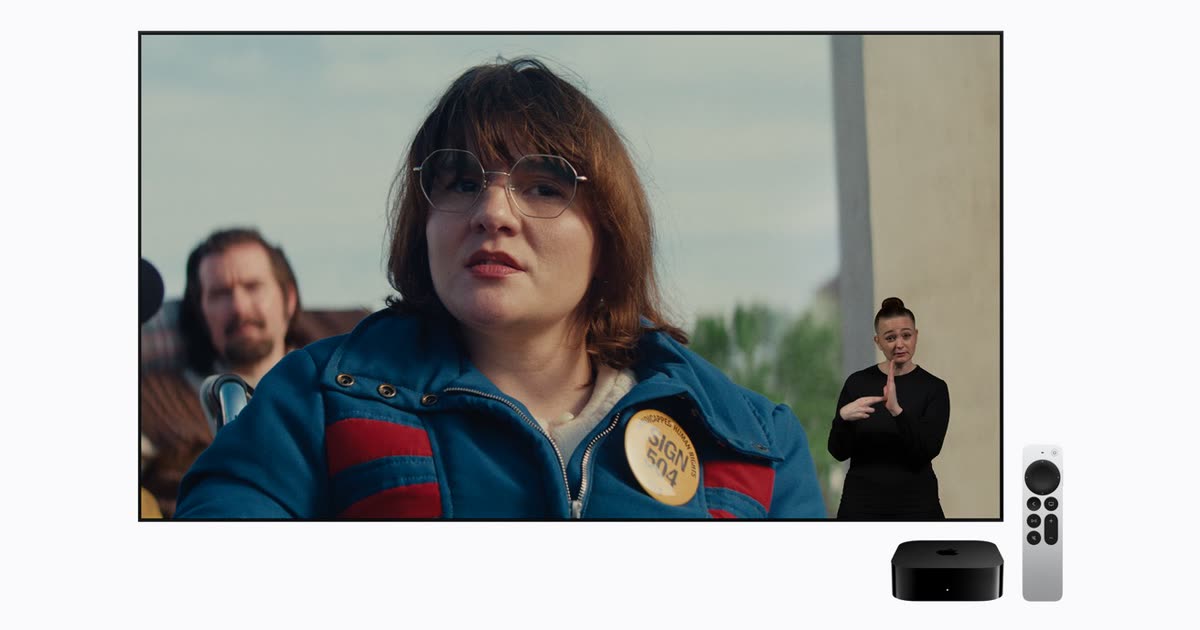
Apple TV adds sign language interpreters you can switch on, starting with Being Heumann on 13 November
Apple TV sign language interpretation starts 13 November with Being Heumann. How to turn it on or off, which films have it, and what is still unclear.

Iris Ohyama data breach: details of up to 7.7 million Iris Plaza shoppers may have leaked
The Iris Ohyama data breach: details of about 7.7 million Iris Plaza shoppers may have leaked. What was taken, what wasn't, and what to do now.

Chainalysis breach: every user's password hash and live tokens were exposed, the company now says
The Chainalysis breach exposed password hashes and live tokens for all users. What changed since 30 October, what is still offline, and what to do now.